Liquor Store Inventory Management Software

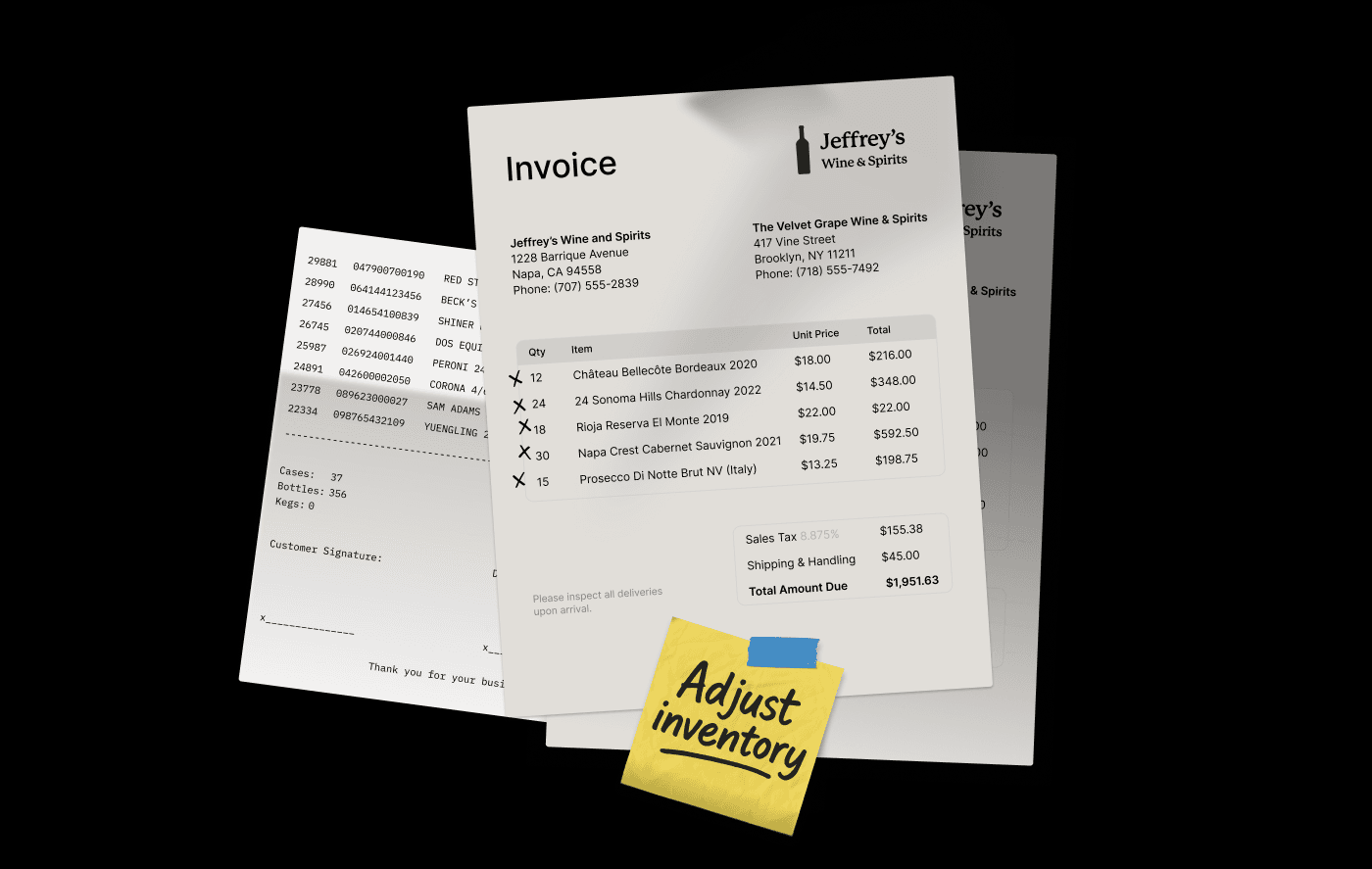
The average mid-size liquor store owner spends 15–20 hours every week manually entering distributor invoices. That is two and a half full working days — gone — not because they want to do it that way, but because their system cannot do it any other way. Multiply that by 52 weeks, and you have lost over 130 days of productive time to a problem that has been solved.
Most articles about liquor store inventory management software give you a feature checklist: barcode scanning, low-stock alerts, reporting dashboards. What they skip is the operational reality of running a licensed alcohol retailer — where the specific challenges of case breaking, distributor invoice workflows, compliance tracking, and multi-location coordination make generic retail tools actively dangerous to your margins.
This article covers what your current system is costing you, how liquor-specific software can deliver that generic systems cannot, and exactly how to evaluate a new system without getting burned during the switch.
Why Generic Inventory Software Fails Liquor Retailers (And What That Costs You)
Most liquor store owners are still using systems from the 90s but recently Lightspeed, Toast and Square are aggressively pitching generic options that are new, affordable and easy to set up. Both things may be true. But “easy to set up” and “built for your business” are not the same thing. In liquor retail, that gap shows up fast.
The Case-Breaking Problem Most Systems Ignore
Case breaking is one of the most fundamental inventory operations in liquor retail, and most generic systems have no concept of it at all.
Here is what case breaking means in practice:
- You purchase a case that includes two 12 packs of beer in bottles from your distributor.
- You sell it as 12 packs, six-packs, and sometimes single bottles
In a system without case-break functionality, you handle this manually. You create separate SKUs for each unit size, you update them independently, and you reconcile the discrepancy yourself. This takes forever and results in phantom inventory; your system shows stock you do not actually have, and missing stock that is sitting right in front of you. You either over-order (tying up cash in excess stock) or run out (losing sales and disappointing customers).
A purpose-built liquor store inventory system tracks the case, the six-pack, and the single bottle as one linked product, automatically adjusting all levels when any unit sells. This is not a nice-to-have feature. It is the foundation of accurate inventory in your store.
Distributor Invoices and Why Manual Entry Is a Margin Killer
Every time a distributor delivery comes in, someone on your staff, probably you, has to key each line item into your system. Product name, SKU, quantity, cost per unit, total. For a mid-size store receiving 30+ deliveries per week, that is hours of repetitive data entry, every single week.
Manual entry is not just slow. It is error-prone. A transposed digit on a cost price corrupts your margin reporting. A missed product means a discrepancy between what you ordered, what arrived, and what your system thinks you have. Catching those errors takes more time, and some of them never get caught at all.
Automated distributor invoice reading can reduce invoice processing time by 80–90%. A system built for liquor retail can automatically import invoices, match them to existing SKUs, flag discrepancies, and generate receiving records without manual keying. What took three hours now takes fifteen minutes of review.
The 6 Inventory Workflows That Separate Purpose-Built Liquor Software From Everything Else
These are the capabilities that differentiate a system built for liquor retail from a generic tool with a few beverage-friendly workarounds.
1. Case-Break Tracking at the Unit, Six-Pack, and Case Level
As covered above, this is the foundation. But worth specifying what “good” looks like here: the system should handle shared inventory — meaning you don’t have to physically make updates when breaking down cases or building them. Mix-and-match pricing (where a customer combines six singles to build their own six-pack at the six-pack price) should trigger correctly without requiring manual price overrides at the register.
Ask any vendor you are evaluating to show you this workflow live before you sign anything.
2. Automated Invoice Reading and PO Matching
The best systems in this category can accept electronic invoices (images, PDFs, or direct integrations with major distributors), parse the line items automatically, match them against outstanding purchase orders, and flag anything that does not reconcile — wrong quantities, wrong costs, products that were not on the original PO.
This is not just a time-saver. It is a shrinkage prevention tool. If a delivery arrives short and your system catches it automatically, you have documentation to dispute the invoice. If you are entering it manually, you probably will not notice until your next inventory count…if ever.
It’s easy to extract data and hard to link it all together correctly. Pay attention to how mis-matches and errors are resolved before signing any contracts. A purpose built system understands the challenges of carrying 20,000 SKUs that change distributors and provides an easy way to handle the nuanced data challenges.
3. Real-Time Shrinkage Detection and Discrepancy Alerts
The alcohol retail industry average shrinkage rate is approximately 1.44% of revenue. For a store doing $2 million in annual sales, that is roughly $28,800 walking out the door every year — through theft, breakage, administrative errors, and vendor short-deliveries that never got disputed.
The difference between a store that loses 1.44% and one that loses 0.6% is almost always the same thing: real-time visibility into what the system expects to be on shelves versus what is actually there. When a discrepancy appears, e.g. a product scanned at POS more times than it was received, a connected system flags it immediately. A disconnected one flags it at your next quarterly count, when it’s too late do anything.
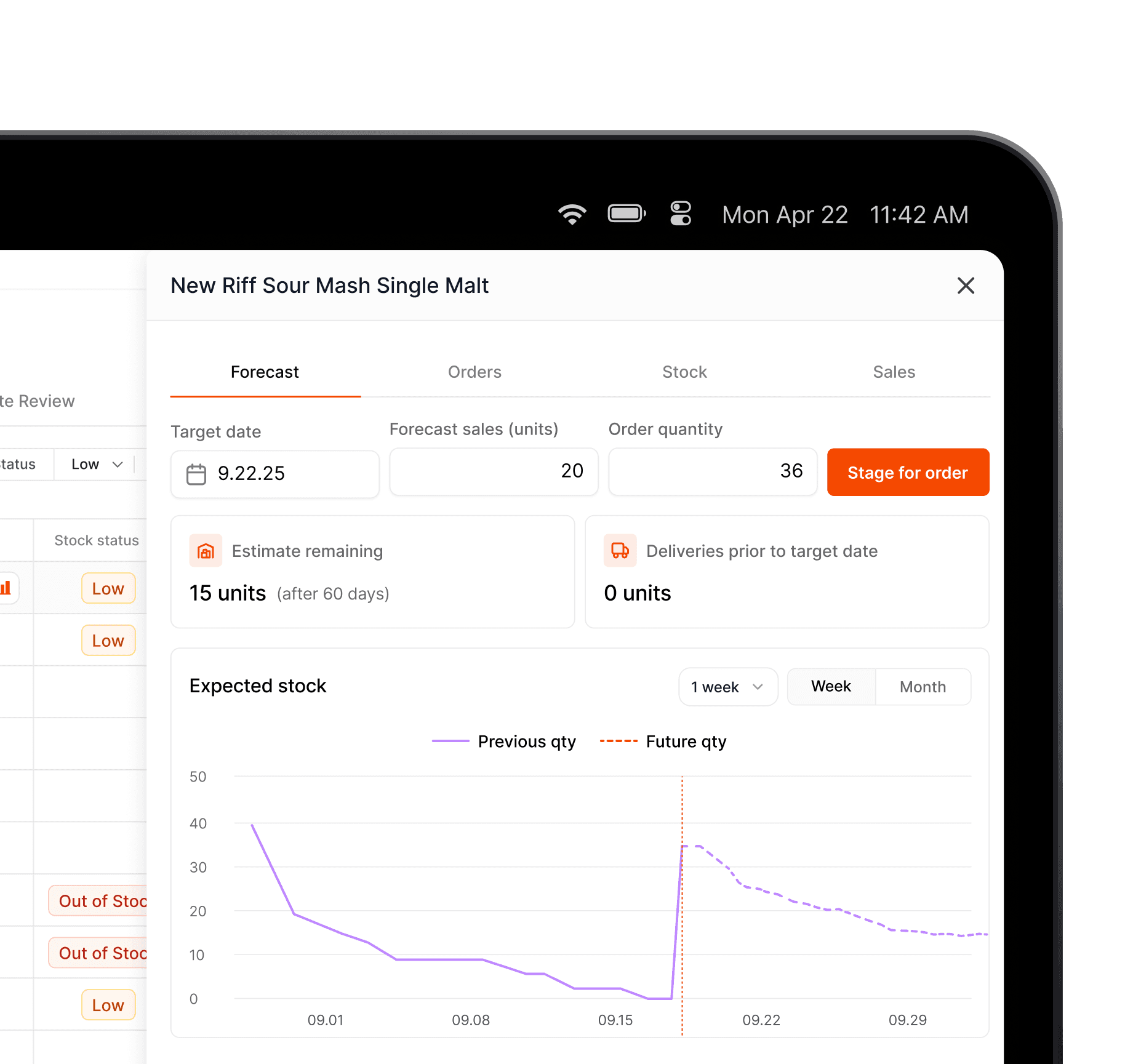
4. AI-Powered Reorder Points and Demand Forecasting
Manual reorder points are a reasonable starting place, but they do not account for seasonality, local event calendars, or the fact that your top-selling vodka always spikes the week before a local festival. Static par levels leave you either overstocked on slow movers (tying up capital and shelf space) or understocked on high-velocity items during your busiest periods.
Purpose-built liquor store inventory management software uses sales history to set dynamic reorder points; adjusting them based on trends, seasonal patterns, and velocity changes. The practical outcome: you stop making inventory decisions on gut feel and start making them on data. You also stop calling your distributor rep in a panic because you ran out of your best-selling whiskey on a Friday afternoon.
5. Multi-Location Inventory Visibility from a Single Dashboard
If you run more than one store, the operational complexity of inventory multiplies in ways that generic retail tools can’t handle. Centralized purchasing (buying for all locations from one account), inter-store transfers (moving slow stock from one location to cover a shortage at another), and unified reporting (seeing sellthrough rates across all locations without manually reconciling individual store reports) require a system that treats your business as a network, not a collection of independent stores.
Multi-location operators consistently cite fragmented visibility as their biggest operational bottleneck. When your inventory lives in separate systems, or separate instances of the same system, you make decisions with incomplete information. You over-order for one location while another runs short. You miss transfer opportunities that would improve margins across the board.
A purpose-built alcohol retail inventory system with multi-location support gives every location its own inventory tracking while giving ownership a unified view. One dashboard. One reporting layer. No manual reconciliation.
How to Evaluate Any Liquor Inventory System: 8 Questions to Ask Before You Sign
Generic vendor demos look impressive. A well-rehearsed product walkthrough can make any system look capable of anything. These questions cut through the performance and surface the operational reality.
1. Show me case-break tracking in a live demo, not just a slide. Ask them to demonstrate receiving a case, selling singles, and showing how the parent case inventory updates in real time. If they cannot do this on the spot, it is not actually built into the product.
2. What happens to my POS if my internet goes down? This matters more than most vendors acknowledge. Stores in areas with unreliable connectivity — or any store during an ISP outage — need to keep selling. Ask specifically whether the system runs locally, cloud-only, or both, and what the failover looks like.
3. What data can you import from my current system, and what format does it need to be in? Migration is the part of a system switch that most operators dread, and most vendors underspecify. Get a clear answer on what your product catalog, customer data, historical sales, and vendor records look like after migration; not a vague reassurance that it will be fine.
4. How long does a typical implementation take for a store my size? For a single-location store switching from a legacy system, a realistic implementation timeline is at least 3 weeks — including data migration, staff training, and a parallel run period. If a vendor tells you it can be done over a weekend with no disruption, ask for a reference customer you can call.
5. What does staff training look like, and what happens when I hire new staff later? Onboarding your team to a new system is where implementations fall apart. Ask whether training is self-serve (video library), live, or both. Ask whether there is an ongoing training resource for new hires.
6. What is the total cost of ownership over 24 months including onboarding, hardware, integrations, and support? Monthly SaaS fees are rarely the whole story. Hardware costs, integration fees for third-party platforms, support tiers, and data export fees all add up. Get everything in writing.
The Hidden Costs of Waiting to Switch
The friction of switching systems feels real and immediate. The cost of staying on a broken system is diffuse and easy to ignore — which is exactly why most operators wait too long.
How to Calculate What Your Current Inventory Gaps Are Costing You
Run this math on your own business.
Shrinkage cost: Take your annual revenue, multiply by 0.0144 (the industry average shrinkage rate). That is your baseline loss. If a purpose-built system with real-time discrepancy detection cuts that by half, or more, you have your annual savings figure.
Invoice labor cost: How many hours per week does invoice entry and reconciliation take in your store? Multiply by your fully-loaded hourly cost for that labor. Multiply by 52. An 80% reduction in that time, delivered by automated invoice reading, translates directly into that dollar amount.
Stockout and overstock cost: This one is harder to calculate, but think about it in terms of your last quarter. How many times did you run out of a fast-moving product? How many SKUs are sitting in your back room beyond their optimal turn rate? Both represent margin you left on the table.
The Math on Time Saved by Automated Invoice Reading
Here is a concrete example. A store processing 30 distributor deliveries per week, each requiring 30 minutes of manual invoice entry, is spending 15 hours per week on this task alone. At $20/hour in labor cost, that is $15,600 per year just on invoice data entry.
Automated invoice reading drops that to roughly 90 minutes of review per week, about a 90% reduction. The labor savings alone, at that scale, covers most software subscription costs in the first year. The accuracy improvements and dispute capture are additional margin recovery on top.
What a Modern Liquor Inventory System Looks Like in Practice
Before and After: A Day in the Life of a Liquor Store Owner
Before (managing on a generic POS with spreadsheets):
7:00 AM A distributor delivery arrives. You or a staff member spends the next two hours manually checking each item against the paper invoice and keying everything into the system. Two products were shorted — you did not catch it until the invoice was already entered.
11:00 AM A customer asks if you have a specific single malt in stock. You check your POS, it shows one bottle. You walk to the back. It is not there.
3:00 PM You check your weekend stock levels. You think you have enough of your best-selling tequila. You are wrong — you had already committed some of that stock to an online order that the POS did not know about.
Sunday night Three hours reconciling this week’s inventory discrepancies. You find four SKUs with counts that do not match what you should have based on sales.
After (on purpose-built liquor store inventory management software):
7:00 AM The distributor shorted you 2 cases and reprints an invoice. You scan the new invoice into your system and receive the adjusted order in 12 minutes.
11:00 AM Customer asks about the single malt. Your system shows 3 units and is accurate because everything else was done correctly.
3:00 PM Weekend stock check takes five minutes. Reorder suggestions are already queued based on your sales velocity and the upcoming holiday weekend. Your online inventory is already synced, there is no separate reconciliation step.
Sunday night No inventory reconciliation. The system caught discrepancies in real time throughout the week. You are reviewing a one-page exception report instead of spending three hours in a spreadsheet.
Frequently Asked Questions
How long does it take to switch liquor store inventory systems? A realistic timeline for a single-location store is three weeks from signed contract to going live. This includes data migration (product catalog, vendor list, historical sales), hardware setup if needed, and staff training. Multi-location switches typically take six to twelve weeks depending on the number of stores and the complexity of the existing setup.
Can I import my existing product catalog and sales history? Yes, in most cases, but the format matters. Most purpose-built systems can import from CSV exports, and some have direct migration tools for common legacy platforms. Ask your vendor specifically what data they can import and what you will need to rekey. Historical sales data (used for demand forecasting and reorder points) is worth importing if possible; it makes the AI recommendations accurate from day one.
What if my internet goes down? Can I still sell? This depends on the system architecture. Cloud-only systems cannot process sales without an internet connection. Hybrid systems (which run a local instance with cloud sync) can operate offline and sync when connectivity returns. If your area has unreliable internet, or if you simply cannot afford to stop selling during an outage, verify offline functionality before you commit to any platform.
How is shrinkage typically identified in a modern inventory system? Real-time shrinkage detection works by comparing what the system expects to be on the shelf (based on received inventory minus recorded sales) against periodic physical counts or cycle count scan-ins. When the expected count and the physical count diverge — by product, by location, by time period — the system flags it for investigation. The faster you can identify a discrepancy, the faster you can determine whether it is theft, breakage, receiving error, or a data entry problem.
The operators who switch to purpose-built liquor store inventory management software rarely describe it as a technology upgrade. They describe it as getting their week back — and finally being able to see clearly what is actually happening in their business.
If you are spending hours on invoice entry, making inventory decisions without reliable data, or managing multiple stores out of separate systems that do not talk to each other, the cost of staying is higher than you think. You have just read the math.
See how automated invoice reading and real-time inventory work together in a system built only for liquor retail. Book a demo of Scotch and walk through the workflows that matter to your operation, not a generic sales presentation.